Your cart is empty
 Short Rigid Couplings
 Controlflex Couplings
 Jaw Couplings
 Oldham Couplings
 Bearing Locknuts – TCN
 Double Wide Shaft Collars
 Heavy Duty Shaft Collars
 International Series Shaft Collars
 Keyed Shaft Collars
 Mountable Shaft Collars
 Quick Clamping Shaft Collars
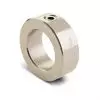 Set Screw Shaft Collars
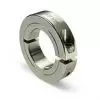 Thin Line Shaft Collars
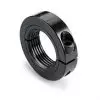 Threaded Shaft Collars – Pacific International Bearing Products
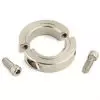 Two-Piece Shaft Collars
 Friction Bearing Universal Joints
 Needle Bearing Universal Joints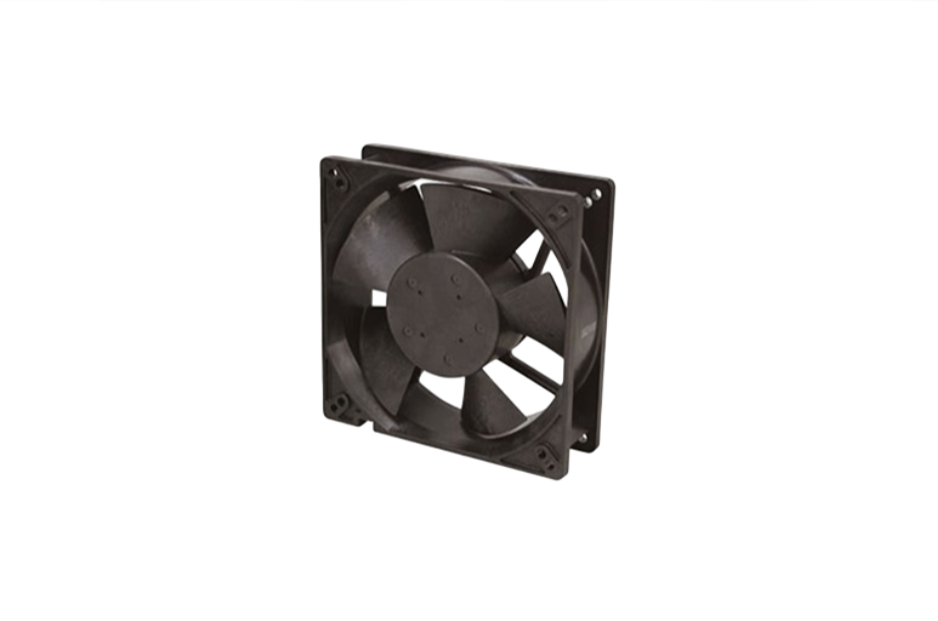
Bearings
DC Axial Fans for Thermal Management in Confined Enclosures
24 January, 2026
13 min read
Pacific International Bearing Sales (PIB) offers DC axial fans as an effective solution for active cooling in tight spaces. When processors, power electronics, actuators, and sensors are packed into a compact enclosure, managing heat becomes a critical design challenge. Unlike passive cooling (which relies on heat sinks or natural convection), DC axial fans provide active airflow that can whisk away heat from hot components, maintaining safe temperatures even under heavy thermal load. This article explores how DC axial fans support thermal management in confined systems, what to consider when choosing a fan, and how they are used in industries from robotics to medical devices. We also include a sample specification table of common fan models and an FAQ section to help you make informed cooling decisions.
Active Cooling for Compact Systems
In a small enclosure with heat-generating components, active cooling is often the only way to prevent overheating. High-performance processors, motor drivers, power converters, and dense electronics can quickly build up heat in the absence of airflow. A DC axial fan addresses this by actively moving air along the axis of the fan (hence “axial”), pulling cooler air into the enclosure and pushing hot air out. This forced airflow carries thermal energy away from circuit boards and mechanical parts, allowing them to operate within safe temperature limits.
Even a miniature DC fan can make a big difference. For example, a tiny 25 mm fan placed over a processor can reduce local temperatures by dozens of degrees. By creating a directed stream of air, the fan ensures that no stagnant hot spots form around components. The result is more reliable performance and protection against heat-related failures. In short, DC axial fans give engineers a convenient, compact means of active heat dissipation for enclosed electronics.
Key Factors: Airflow, Noise, and Longevity
When selecting a DC axial fan for a confined space, engineers must balance several key factors:
- Airflow (CFM): The fan’s airflow rating (in cubic feet per minute or CFM) indicates how much air it can move. Higher CFM means more cooling capability, which is crucial if your enclosure houses high-wattage components. It’s important to estimate your cooling needs (based on the heat output of components and allowable temperature rise) and choose a fan with sufficient CFM to maintain that cooling. Remember that filters or tight vent openings can reduce effective airflow, so build in some safety margin. In practice, a fan’s size and speed determine its airflow – larger, faster fans push more air. For confined enclosures, use the largest fan that comfortably fits, as it can often provide more airflow at a given noise level than a smaller fan.
- Noise Level (dBA): In many applications, especially those involving consumer or medical devices, low noise is a priority. Fan noise is measured in decibels (dBA). Smaller fans spinning at high RPM can produce high-pitched whirring sounds. To keep noise down, consider fans designed for quiet operation (with optimized blade geometry or slower speed options). Ball-bearing fans can be slightly noisier than sleeve-bearing fans of the same size due to bearing noise, but modern designs keep this difference minimal. For very noise-sensitive designs, you might use a larger fan running at a lower speed – this can deliver the needed airflow more quietly than a small fan at full tilt. Also, look for fans with PWM or voltage control capabilities so you can throttle the speed (and noise) based on cooling demand.
- Reliability and Service Life: Long service life is essential for mission-critical or hard-to-access systems. The expected lifetime of a DC fan is often given as an L10 life (the number of hours before 10% of a large sample of fans have failed) at a certain temperature. Many quality fans offer 50,000 or even 100,000 hours of life at room temperature, which equates to many years of continuous operation. The choice of bearing type has a big impact here. Ball bearing fans typically last longer and handle higher temperatures better than sleeve bearing fans, making them ideal for 24/7 operation or high-temp environments. Sleeve bearings, on the other hand, can be very quiet and cost-effective for moderate temperatures and intermittent use. For reliability, also ensure the fan’s specifications meet your environment (for instance, if the enclosure sees vibration, a robust fan construction is needed; if there’s dust or moisture, consider fans with an IP rating or a filter to protect them).
By weighing airflow, noise, and reliability together, you can select a fan that keeps your enclosure cool without unwanted side effects. Often, the ideal solution is a balanced fan that provides adequate CFM headroom, runs quietly, and uses a durable bearing for longevity.
Common Applications for DC Axial Fans
DC axial fans are used across a wide range of industries to solve thermal challenges in confined spaces. Some notable use cases include:
- Robotics: Modern robots pack powerful motors, controllers, and sensors into compact frames. Small DC fans in robot control boxes or servo motor housings prevent heat buildup from motor drivers and CPUs, ensuring consistent performance. In autonomous mobile robots, fans keep drive electronics cool without adding much weight, and their DC nature allows direct battery-powered operation (often 12 V or 24 V systems in robotics).
- Medical Devices: From diagnostic equipment to portable ventilators, many medical devices rely on quiet and reliable cooling. DC axial fans provide airflow in oxygen concentrators, ultrasound machines, and imaging equipment where space is limited. Low noise is especially critical here to maintain a comfortable environment for patients and operators. Fans in medical devices are often designed for minimal acoustical disturbance and high reliability (since failures could be life-impacting).
- Industrial Control Cabinets: Factory automation systems and control panels often seal electronics in metal cabinets for safety and noise reduction. Inside these enclosures, PLCs, power supplies, and inverter drives can generate significant heat. Rugged DC fans (typically 24 VDC, to tie into common control power rails) are mounted on cabinet walls or doors to pull in cooler external air and expel hot air. These fans are chosen for high MTBF, filtered airflow (to keep out dust), and the ability to run continuously in harsh conditions.
- Embedded Systems: Small-form-factor embedded computers and networking gear, such as router boxes or IoT gateways, frequently use tiny axial fans to supplement passive cooling. In these systems, processors or FPGAs might run near their thermal limits due to tight packaging. A 30–50 mm DC fan attached to a heat sink or chassis provides just enough airflow to maintain safe silicon temperatures. Here, fans must be compact and energy-efficient, often running only when temperature sensors trigger them to minimize power draw and noise.
These examples highlight how DC axial fans adapt to different requirements – whether it’s a whisper-quiet micro fan in a lab device or a high-flow fan in an industrial controller, the underlying principle is the same. By incorporating the right fan, engineers can confidently manage heat in confined designs across many fields.
Sample DC Axial Fan Specifications
The following table shows representative specifications for several common DC axial fan sizes. These examples (based on data from NMB Technologies’ fan models) illustrate the range of performance available. Fans are available in various frame sizes (side length and thickness), with standard nominal voltages of 5 V, 12 V, or 24 V DC. Key parameters include maximum airflow (in CFM), noise level, and bearing type:
| Fan Size (mm) | Nominal Voltage | Airflow (Max CFM) | Noise (dBA) | Bearing Type |
| 25 × 25 × 10 mm | 5 V DC | 2.6 CFM | 28.5 dBA | Sleeve |
| 40 × 40 × 10 mm | 12 V DC | 6.7 CFM | 29.5 dBA | Ball |
| 60 × 60 × 25 mm | 12 V DC | 23.3 CFM | 33 dBA | Ball |
| 80 × 80 × 25 mm | 24 V DC | 40.0 CFM | 30 dBA | Ball |
| 120 × 120 × 25 mm | 24 V DC | 56.0 CFM | 30 dBA | Ball |
Table: Example specifications for small (25 mm) to large (120 mm) DC axial fans. CFM and noise are maximum values at full speed. Actual performance can be tuned by selecting different speed versions or using speed control. Sleeve bearings are common in the smallest fans, while ball bearings dominate in larger sizes for longevity.
As shown above, even a tiny 25 mm fan can move a few CFM of air, which may suffice for cooling a small board or sensor. On the other end, a 120 mm fan can push well over 50 CFM, enough for cooling a densely packed cabinet – and it can do so relatively quietly when running at lower speeds. By examining these specs, you can pick a fan size and model that meets your airflow requirements within your noise constraints. Manufacturers like NMB offer multiple variants (for instance, faster models that achieve higher CFM but with more noise, and slower “L” or “M” versions that run quieter with somewhat less airflow). Additionally, notice the bearing types: the 25 mm example is sleeve-bearing (to keep noise low and because such a small fan has lower axial load), whereas the larger fans use ball bearings for durability.
FAQ: Selecting and Using DC Fans in Enclosures
Q: How do I select the right DC axial fan for my enclosure?
A: Start by determining your cooling requirements: calculate or estimate the heat (in watts) that needs to be dissipated from your enclosure. From this, you can gauge the required airflow (CFM) using thermal analysis or guidelines (for example, a rule of thumb is about 1 CFM per 10 watts for a modest temperature rise, though this can vary). Once you know the approximate CFM, choose a fan size that can provide that airflow. Make sure the fan fits in your available space, including any needed mounting hardware or finger guards. Also consider the fan’s voltage to match your system (5 V for USB or logic-level electronics, 12 V and 24 V are common in PCs, vehicles, and industrial systems). Evaluate the noise rating to ensure it’s acceptable for your product’s environment. Finally, decide on bearing type – for applications that run 24/7 or in high temperatures, a ball bearing fan is recommended for longevity, whereas for intermittent or noise-critical uses, a sleeve bearing could be suitable. Checking manufacturer datasheets for airflow vs. static pressure curves is also wise, especially if your enclosure has restrictive vents or filters (which add air resistance and reduce actual airflow).
Q: How can I determine the cooling needs (airflow) for my confined system?
A: To figure out how much airflow you need, identify the components that generate the most heat in your enclosure and note their power dissipation. Sum up the total power (in watts) that must be expelled as heat. Then, decide on an acceptable temperature rise inside the enclosure above ambient (for instance, you might allow the inside to be 10°C hotter than outside). Using these numbers, you can use thermal formulas or online calculators to estimate required airflow. In simple terms, more watts or a lower allowed temperature rise will demand more CFM. If precise calculation is difficult, you might prototype with a fan and measure temperatures: start with a fan of moderate CFM, observe the internal temperatures at full load, and increase fan performance if temperatures exceed your target. It’s also important to ensure the airflow actually reaches your hot components – sometimes ducting or strategic placement is needed for the moving air to pick up heat effectively. Keep in mind that adding filters or tight meshes can reduce airflow, so account for that (manufacturers often provide airflow curves showing CFM vs. pressure; use these to see how the fan performs against any airflow restriction).
Q: What is the best airflow direction and orientation for a fan inside an enclosure?
A: Generally, you want to set up a clear airflow path through the enclosure. A common practice is to have one side of the enclosure drawing cool air in and the opposite side expelling hot air out. Orientation (intake vs. exhaust) can be configured in two main ways: either the fan blows air into the enclosure (positive pressure) or pulls air out of the enclosure (negative pressure). Blowing in can directly force cool air over critical components, whereas exhausting out pulls hot air away and tends to draw cooler air in through other vents. Both approaches can work; what’s important is that air enters and exits so you get circulation. Many designers use an exhaust fan (mounting the fan such that it blows outward), which actively expels hot air and automatically draws fresh air in through any intake vents. In contrast, an intake fan (blowing inward) can be paired with passive exhaust vents. In either case, airflow direction should go from cooler ambient to hotter interior, sweeping across hot parts if possible. Fans have an arrow marking on their frame indicating airflow direction – use that to orient them correctly. Also consider multiple fans if needed: for example, one fan could intake at the bottom of a cabinet while another exhausts at the top, leveraging natural convection (hot air rises) to enhance cooling. Just be sure the fans are not fighting each other (they should be arranged to cooperate in moving air along a single path). Avoid obstructing the fan with cabling or walls too close to either side; a little clearance helps the airflow stay efficient and smooth.
Q: Where should I place the fan within the enclosure for best results?
A: Placement is key to effective cooling. Ideally, position the fan such that its airflow passes over or near the hottest components. In a small enclosure, this often means mounting the fan on a wall of the enclosure near the heat source (for instance, if a particular corner of the box has the CPU board, the fan could be on that side, drawing air in or pushing air out right there). If the enclosure has multiple hot spots, you might need to experiment – sometimes a central location can broadly circulate air, or you may use ducting to channel air to certain areas. It’s also common to mount fans near the top of an enclosure (since hot air rises inside) to more efficiently pull out the accumulating heat. However, every design is a bit different. The key is to ensure there is a path for air to flow through: cool air should enter, pass by the critical parts, and then exit. Dead zones (areas where air is stagnant) can be mitigated by the fan placement and possibly by adding ventilation holes strategically. If you only have one fan, placing it near an exhaust vent will tend to draw air across the entire enclosure. For multiple fans, you can create a flow from one side to the other (one fan intake, one exhaust). Also consider serviceability – fans should be placed where they can be accessed for cleaning or replacement if needed (especially in dusty environments, as dust buildup on fan blades or filters can degrade performance over time).
By understanding these principles and choosing quality components, you can successfully manage heat in even the tightest of spaces. DC axial fans offer a practical, proven approach to cooling for thermal engineers and system designers. Pacific International Bearing Sales has a broad selection of DC fans to meet various sizes, airflow, and noise requirements. We encourage you to browse the PIB online catalog to find the ideal fan for your project’s needs. With the right fan in place, your compact enclosure can stay cool and reliable, ensuring your electronics perform at their best.