Your cart is empty
 Short Rigid Couplings
 Controlflex Couplings
 Jaw Couplings
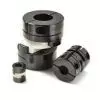 Oldham Couplings
 Bearing Locknuts – TCN
 Double Wide Shaft Collars
 Heavy Duty Shaft Collars
 International Series Shaft Collars
 Keyed Shaft Collars
 Mountable Shaft Collars
 Quick Clamping Shaft Collars
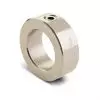 Set Screw Shaft Collars
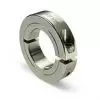 Thin Line Shaft Collars
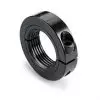 Threaded Shaft Collars – Pacific International Bearing Products
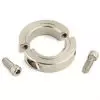 Two-Piece Shaft Collars
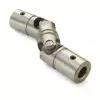 Friction Bearing Universal Joints
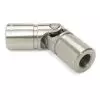 Needle Bearing Universal Joints
Bearings
Robot Components That are Economical and Effective
18 November, 2025
22 min read
Building a DIY custom automated solution doesn’t have to break the bank. In fact, Pacific International Bearing Sales (PIB) has seen firsthand how robot components are empowering engineers and businesses to create their own automation in a cost-effective way. In this article, we’ll explore the key low-cost components that make DIY automation feasible – from motors and bearings to frames and controllers – and how these pieces come together to deliver professional results without the premium price tag.
The Case for Low-Cost Robot Components
Not every automated task requires a million-dollar robotic system. Low-cost robot components have opened the door for small businesses, custom machine builders, and even hobbyists to automate processes that were once too costly to tackle. The idea is simple: use standard, mass-produced parts that deliver precision and quality at reasonable prices. Why does this matter? Because it lowers the barrier to entry for automation. A decade ago, a small manufacturer might shy away from automating a simple pick-and-place or assembly task due to the price of industrial robots. Now, with affordable motors, bearings, and controllers, that same task can be automated in-house. The result is improved productivity and consistency, faster ROI, and the ability to stay competitive ..
From PIB’s perspective, we’ve observed customers achieve great outcomes by opting for cost-effective components.. For example, using a $50 stepper motor instead of a $500 servo can work perfectly for an indexing conveyor or a simple gantry robot. Standard aluminum framing and off-the-shelf linear bearings can create a machine structure without expensive custom fabrication.
Benefits of Budget-Friendly Components
To summarize the advantages of using low-cost robot components in your projects, here are a few key points:
- Lower Upfront Cost: Reduces the initial investment for your robot or automated system. This makes experimentation and prototyping much more feasible for teams on a budget.
- Reliable Performance: Use standard off-the-shelf components to save time and money.
- Modularity and Standardization: Many inexpensive robot parts are built to standard sizes and interfaces. This means you can mix-and-match components easily. (For instance, a standard NEMA-frame motor will bolt up to a matching gearbox or bracket with no custom machining.) Modularity saves design time and money.
- Lower Maintenance & Downtime: Some cost-effective components are designed to be maintenance-free. For example, certain plastic bushings or polymer linear bearings don’t require lubrication, reducing maintenance.
- Rapid Innovation Cycle: Because the investment is lower, you can iterate on your design faster. If something doesn’t work perfectly the first time, you can tweak or swap components easily and economically.
Motors and Actuators: Affordable Options
Motors and actuators are the heart of any robotic system – they create motion. High-end industrial robots often use premium servo motors or complex actuator units that are very precise but also very expensive. The good news is that there are plenty of affordable alternatives for driving your custom robot’s joints or linear axes.
- Stepper Motors: Stepper motors are a favorite for low-cost automation. These motors move in small, discrete steps, allowing for precise position control without requiring an expensive feedback encoder. A common NEMA 17 or NEMA 23 stepper motor (found in many 3D printers and CNC machines) costs a few tens of dollars yet can provide impressive torque and accuracy for its size. Steppers are ideal for applications like XY gantries, pick-and-place arms, or any mechanism where you need accurate, repeatable positioning at a low cost. Just pair them with an affordable driver module, and you have a simple, robust motion solution. The trade-off? Steppers are typically open-loop (no built-in feedback) and can lose position if overloaded, but with proper sizing and tuning, they perform reliably.
- DC Gearmotors: For continuous rotation tasks or driving wheels and conveyors, DC gearmotors offer a cheap and effective solution. These are small DC motors combined with a gear reduction gearbox to boost torque. You might find a 12V DC gearmotor for under $30 that can haul a decent load at low speed. They’re great for mobile robots, simple conveyor belts, or panning/tilting mechanisms. While they don’t have the precision of a stepper or servo, gearmotors shine in simplicity – just apply a voltage to go, and reverse it to go the other way. Many come with optional encoders if you do need some feedback.
- Servos (Hobby and Mid-Range): Traditional industrial servomotors can be pricey, but there’s a whole spectrum of servo actuators out there. Hobby RC servos (the kind used in remote control cars and planes) can cost $10-$50 and are useful for light-duty tasks requiring position control over a limited range (usually 180 degrees). They come with built-in gearing and control electronics – just send a control signal from a microcontroller and the servo moves to the commanded angle. For slightly heavier tasks, there are now mid-range servos or open-source servo actuators that cost a few hundred dollars (rather than thousands) and can be used in custom robotic arms or grippers. These often have integrated controllers and can be a nice compromise when you need more torque or rotation range than a tiny hobby servo, but still want to save money compared to industrial units.
- Linear Actuators: Need to push or pull something in a straight line? Low-cost linear actuators are available in many forms. You can get small electric linear actuators (essentially a DC motor + lead screw in a package) for a reasonable price; for example, to open a hatch or move a small platform. Another budget tip: repurpose pneumatic cylinders if you have compressed air available. Pneumatic actuators are inexpensive and very fast for simple extend/retract motions – perfect for things like stamping, clamping, or pushing parts along. A pneumatic cylinder plus a solenoid valve might cost a fraction of an equivalent electric linear axis. The downside is that you need an air compressor in your system and precise control is harder, but for simple repetitive actions, it’s an economical choice used in many factories.
When selecting a motor or actuator on a budget, always size it correctly for your needs. It’s wise to leave a bit of a performance safety margin (so the motor isn’t straining at its max torque constantly) – this ensures longevity and reduces the chance of stalling or errors. Even with affordable components, you want them to last. Fortunately, many suppliers, including PIB, offer a range of motor options and can help advise on the right size. Remember, an affordable solution doesn’t mean cutting corners on quality; it means picking a part that meets your requirements without over-engineering.
Bearings and Motion Hardware: Cost-Effective Solutions
Moving parts need support – that’s where bearings and other motion hardware come in. In any robot or automated machine, bearings let parts rotate or slide with minimal friction. High-end robots might use exotic bearings with super-tight tolerances, but you can often rely on standard, cost-effective bearings and linear guides to do the job.
Ball Bearings: Standard ball bearings are mass-produced in huge quantities, which makes them very affordable. A basic deep-groove ball bearing (like the popular 608 bearing used in skateboard wheels) can cost well under $1 and carry surprisingly high loads with smooth rotation. These kinds of bearings are perfect for wheels, arms, gear shafts – anywhere you have a rotating shaft or joint. By using common sizes (which PIB and other distributors stock readily), you get economies of scale on your side. Despite the low price, modern bearings from reputable brands are quite robust and precise for general use. When building custom automation, you should design around standard bearing sizes whenever possible – it’ll save you money and headaches. For instance, if you need to support a rotating platform, consider using an off-the-shelf turntable bearing or slewing ring in a standard size instead of a custom-machined solution. You might be amazed at how a $20 part can handle a heavy assembly with ease.
Linear Bearings and Guides: Many automated solutions involve linear motion (think of a sliding carriage on an axis). You have several budget-friendly options here:
- Round Shaft Bearings: These are typically bronze or polymer bushings, or recirculating ball bushings, that slide on a steel shaft. They are inexpensive and come in standard diameters (8mm, 12mm, 16mm, etc.). For example, an 8mm ID oil-impregnated bronze bushing costs only a few dollars and works great for guiding a light load with minimal maintenance. There are also fully plastic linear bearings that drop into the same housing as ball bushings – they’re self-lubricating and excel in dirty or high-dust environments where rolling bearings might jam. The trade-off is slightly higher friction and lower load capacity, but in many low-cost automation setups, they get the job done and require zero lubrication.
- Profiled Rail Guides: If you need more precision and rigidity, you might consider miniature profiled linear rails (like the Hiwin or THK style rail and carriage systems). Traditionally, these are high-precision components, but smaller versions (and some no-name versions) have become much more affordable. You can often find a 300mm mini linear rail with a carriage for under $50. These provide very smooth, accurate motion for things like XYZ gantry robots, pick-and-place machines, or any system where you want minimal play. They come pre-engineered, so you bolt them on and you have an instant linear axis. Even established manufacturers produce cost-conscious lines of linear guides aimed at light industrial or DIY markets – meaning you can get decent quality rails without the aerospace-grade price tag.
- Rollers on Extrusion: For ultra-budget builds, some makers use V-groove rollers on aluminum extrusion (like the popular OpenBuilds V-slot system). Essentially, plastic or metal wheels with bearings roll along a standard extruded aluminum beam to create a linear motion system. This approach is extremely low-cost and has been adopted in many 3D printers and hobby CNC machines. While it’s not as precise as a ground linear rail, it’s smooth enough for a lot of applications and very forgiving to alignment issues. A pack of wheels and a length of extrusion might cost you under $30 and can form the basis of a simple automated slider or small gantry. Pro tip: If you are designing something like a camera slider or a small pick-and-place, using these off-the-shelf extrusion kits can save design time and money – you cut the extrusion to length, bolt on the wheels, and you have a working linear axis.
Shaft Couplings and Joints: Mechanical components that connect things are also important and, fortunately, not expensive. Standard shaft couplings (to connect a motor to a lead screw or drive shaft) come in many types – beam couplings, jaw couplings, rigid clamp couplings – and most are relatively cheap (a few dollars to maybe $20 each for common sizes). The key is that they eliminate the need to machine custom adapters. You can buy a coupling with the bore size to fit your motor shaft on one side and your driven shaft on the other, and just tighten the screws. PIB offers a whole catalog of these kinds of couplings and collars, meaning you can likely find a standard part that fits your needs exactly. The same goes for universal joints (for transmitting motion at an angle) – standard U-joints or cardan joints are available off the shelf and save you from designing a complicated linkage when you need to bend a shaft line. Using these modular connection parts makes your robot easier to build and maintain, and it’s definitely budget-friendly.
Don’t Forget the Frame: While not a “component” in the sense of a single part, how you build your machine’s frame or structure greatly affects cost. We recommend using modular framing systems (like T-slot aluminum extrusion) or even steel tubing with standard connectors. T-slot extrusions allow you to cut pieces to length and bolt them together with brackets – no welding or costly machining required. They are reusable and reconfigurable, which is fantastic if you’re iterating on your design. The extrusion itself isn’t free, but it’s reasonable, and the ability to adjust your frame without scrapping it is a big cost saver. Plus, all sorts of attachments (corner brackets, joining plates, roller mounts) are available in kit form. For smaller projects, even a 3D printed frame or components can work – modern hobbyist 3D printers produce fairly strong plastic parts that are totally fine for light-duty robot structures or sensor mounts. Printing custom pieces can save you the expense of having something machined, as long as the strength requirements are modest. In short, think creatively and take advantage of modular building blocks to assemble your machine’s body. It’s cheaper and often faster, and if a piece breaks or needs changing, you can swap it out.
Control Systems and Sensors: Simple, Low-Cost Brains
So you’ve got your motors, bearings, and frame, but what about the brain of the operation? Controlling a custom automated solution can also be done affordably. You don’t necessarily need an expensive industrial PLC or a proprietary robot controller for many applications. Here are some tips on the electronics side:
Microcontrollers and Open-Source Platforms: One of the biggest enablers of low-cost automation has been the advent of inexpensive microcontroller boards (like Arduino, Raspberry Pi, and others). An Arduino board costing under $50 can control multiple motors, read sensors, and execute simple automation sequences with ease. For more complex tasks or user interface needs, a Raspberry Pi or similar single-board computer (still well under $100) can run full-fledged control software, even computer vision if needed. There’s a rich ecosystem of open-source software for these platforms – for example, firmware like Marlin or GRBL can run CNC machines and 3D printers (which are essentially robotic systems) on minimal hardware. This means you can borrow proven solutions for your project instead of commissioning custom code from scratch. Many hobby CNC and 3D printing controllers (which are essentially specialized microcontroller boards with motor drivers) are available in the range of $100-$200 and can often be repurposed for custom automation tasks like gantries, pick-and-place, or small robotic arms. PIB’s focus is on the mechanical parts, but we recognize that having an accessible control solution is crucial – luckily, the community has that covered.
Sensors on a Budget: Automation relies on sensors for feedback – whether it’s knowing a position, detecting a part, or ensuring safety. The good news is, you have plenty of inexpensive sensor options. Limit switches and photoelectric sensors used to be pricey industrial items, but now basic limit switch packs cost a few dollars, and you can find decent optical sensors for under $20. Ultrasonic distance sensors (to detect if an object is in position), infrared sensors, and even cheap cameras (like USB webcams or Pi cameras) can be integrated into your system without much cost. It’s often possible to use consumer or automotive-grade sensors in a custom machine; for instance, repurposing a car’s parking sonar sensor or a home security IR sensor – these are built in huge volumes, so they’re inexpensive, yet reliable. The key is to ensure the sensor’s range and precision meet your needs, and that you can interface it with your controller. Most microcontrollers have analog or digital inputs that make reading these sensors straightforward, or you can find modules that convert a sensor’s output into a microcontroller-friendly signal. Bottom line: you don’t need a $1000 laser sensor to tell if a part is present – a $5 microswitch might do the trick if positioned correctly.
User Interface and Software: Even the software to run automation can be low-cost. There are free or open-source programs for sequencing actions and building HMI (human-machine interface) dashboards. For example, Node-RED is a free tool that can create simple control dashboards; ROS (Robot Operating System) is open-source and can coordinate complex robots (though it has a learning curve); and many off-the-shelf low-cost controllers come with basic software to program moves (e.g., g-code senders for CNC, or block-based programming environments for educational robots). Using these tools eliminates the need for expensive proprietary software licenses. It also means you can tweak and customize the control logic yourself, rather than being locked into a vendor’s way of doing things.
By combining a cheap-but-capable controller with sensible sensors, you give your robot the “smarts” it needs without blowing the budget. Just like with mechanical parts, the key is picking components that are appropriate for the task – you might not get fancy features or extreme precision from a $2 sensor or a $30 microcontroller, but if you don’t need those, why pay for them? A lot of creativity in low-cost automation comes from using everyday technology in clever ways. For instance, using a webcam and some open-source vision code instead of a dedicated machine vision camera can save thousands of dollars in a quality inspection system. Sure, the webcam might not be as robust, but maybe it’s good enough, and you can buy spares with the money saved! Always weigh the risk vs. reward – if a lower-cost component can do the job, it’s probably the right choice. And if you’re unsure, you can often prototype with the cheap version first, then upgrade later if absolutely needed.
Examples of Low-Cost Robot Components and Specs
To put things into perspective, here’s a quick table highlighting a few common low-cost robot components, along with their typical specifications and uses. This isn’t an exhaustive list, but it shows the kind of performance you can get without spending a fortune:
| Component | Example (Typical Spec) | Approx. Cost (USD) | Common Use Case |
| Stepper Motor (NEMA 17) | ~0.4 N·m torque, 200 steps/rev | ~$15 – $25 each | Smooth rotation for shafts, wheels, and joints. Used in rollers, spindles, etc. Widely available standard part. |
| DC Gearmotor (12V) | ~50 RPM, ~1 N·m torque (with gearbox) | ~$20 – $40 each | Driving wheels on mobile robots, conveyor belts, simple lifts or rotary platforms. |
| Deep Groove Ball Bearing | e.g. 608 bearing (8×22×7 mm), load ~100+ kg | <$1 each | Driving wheels on mobile robots, conveyor belts, simple lifts, or rotary platforms. |
| Plastic Linear Bushing | 8 mm ID self-lubricating sleeve, load ~20 kg | ~$5 each | Low-friction sliding support for linear motion. Ideal for dirty environments or light-duty slides (no oil needed). |
| Timing Belt & Pulley (GT2) | 2 mm pitch belt, up to ~0.1 mm repeatability | ~$10 (belt + 2 pulleys) | Low-cost linear drive for X–Y tables and conveyor systems. Quiet, lightweight, easy to install; great for moderate precision needs. |
Note: The above specs and costs are rough averages just to illustrate what these components offer. Actual performance can vary by manufacturer, and it’s important to check detailed datasheets for exact figures. PIB’s catalog includes many such components – and our team is happy to help you match the right part to your requirements.
As you can see, none of these parts costs more than a few dozen dollars, yet they form the backbone of countless custom-built robots and machines around the world. By cleverly combining components like these, engineers have built everything from budget-friendly 3D printers and CNC routers to automated feeders, lab assistants, and more. The key is understanding the trade-offs: a timing belt might not give micron-level accuracy like a ball screw, but for a lot of tasks, 0.1 mm precision is plenty. A plastic bushing won’t handle as much load as a recirculating ball bearing, but if you only have a 5 kg payload and you want zero maintenance, the bushing is a winner. Low-cost design is about optimally meeting the requirements – nothing more, nothing less.
Ready to Build Your Custom Solution?
Designing a custom automated solution can seem daunting, but with the array of affordable components now available, it’s more achievable than ever. The Pacific International Bearing Sales (PIB) online catalog is a great place to start sourcing these parts – from motors and couplings to bearings and linear guides, PIB offers a wide selection of budget-friendly options from trusted brands. We believe in helping you find the right component at the right price.
If you’re ready to turn your automation idea into reality, take the next step by browsing the PIB catalog for inspiration and parts. You’ll be surprised how a collection of humble components can come together into a sophisticated system that improves your business or project. And if you need guidance, PIB’s engineering support is here to answer questions and ensure you get the most value out of your build.
Explore our PIB online catalog or email [email protected] to find all the low-cost robot components mentioned in this article and more. Whether you need help choosing the proper bearing or want to compare motor options, we’re here to assist. Let’s build something great – on budget!
FAQ
- Q: Can low-cost robot components really handle industrial tasks?
A: It depends on the task. Many low-cost components are perfectly capable of handling light to medium-duty industrial applications. For example, a well-chosen stepper motor can run a small assembly station or a pick-and-place unit reliably for years. However, if you need extreme precision, high speed, or 24/7 heavy load operation, you may need to invest in higher-grade components for those specific points in your system. The trick is to use budget parts wherever they suffice, and reserve the big dollars only for the truly demanding aspects of the project. - Q: Where should I not cut costs when building a custom automated solution?
A: Prioritize components that impact safety and critical performance. For instance, if a robot arm works near people (collaborative scenario) or handles heavy loads overhead, you want very dependable parts (and likely redundancy) for those joints – that might mean using higher-end actuators or certified safety sensors. Another area is tooling or end-effectors that directly affect product quality; skimping there could impact your output. Essentially, identify the parts of your system that, if they fail or perform poorly, would cause the most damage or downtime – invest adequately in those. For non-critical subsystems or things like prototyping fixtures, it’s usually fine to go low-cost and upgrade later if needed. - Q: How do I ensure the components I buy are still of good quality?
A: Stick with reputable sources and read reviews or specifications. Many major manufacturers offer an “economy” line of components that maintain decent quality standards – those are a safe bet. When buying from large marketplaces or overseas suppliers, look for established sellers and documented performance data. It’s also a good idea to order one or two pieces to test in your application before committing to a bulk purchase. At PIB, for example, we vet the brands we carry, so even our more affordable offerings have passed basic quality benchmarks.
- Q: Can I mix high-end and low-cost components in one project?
A: Absolutely – that’s actually a smart strategy. Use high-end components where you truly need their capabilities, and fill the rest of the design with standard parts. This hybrid approach gives you performance where it matters and savings where the extra performance would be wasted. For instance, you might use a precision ground ball screw (expensive) for one axis that requires extreme accuracy, but use belt drives (cheap) on two other axes where moderate precision is fine. Or maybe the main robotic arm uses premium harmonic drive gearboxes for smooth motion, but the peripheral conveyor feeding it uses simple gearmotors. Mixing components lets you optimize both cost and functionality in your system. - Q: How much can I really save by going with standard components?
A: It can be significant – often 50-80% cost reduction in certain parts of the build. For a hypothetical example, imagine a small palletizing robot: a traditional industrial version might cost $50,000 fully integrated. Building a custom version with standard components (stepper motors, steel frame, basic controls) might bring hardware costs down to, say $5,000-$10,000. Of course, you’ll invest time in engineering and assembly, but the component savings are huge. Even on a smaller scale, every expensive part you replace with a budget-friendly one frees up funds you can use elsewhere or improves your project’s return on investment. - Q: I’m new to this – where should I start when designing a low-cost automated solution?
A: Start with a clear definition of what you need the automation to do (the task, speed, payload, precision, etc.). From there, identify the major components or subsystems required (e.g., a 3-axis gantry, a rotating arm, or a feeder mechanism). Then do some research on each subsystem to find commonly used, affordable components. Leverage communities and resources: many open-source projects or DIY forums share their BOMs (bills of materials), which can give you proven part suggestions. You can also talk to suppliers like PIB – we can often recommend parts once we know your requirements. Begin with a simple prototype using as many off-the-shelf parts as possible. It’s okay if the first version is rough; you can refine it. The key is to get something working, learn from it, and upgrade only where necessary. With this iterative approach, you’ll gain confidence in using low-cost components and you’ll end up with a solution tailored to your needs. Remember, every great machine starts with a single step – or in this case, a single stepper motor! Happy building!